
Fix messy CSV and Excel files in minutes
Upload your CSV or Excel file, automatically detect problems (duplicates, missing values, invalid dates, formatting issues), repair them safely, and download a clean, ready-to-use file.
Detect, clean, and repair your data — right in your browser.
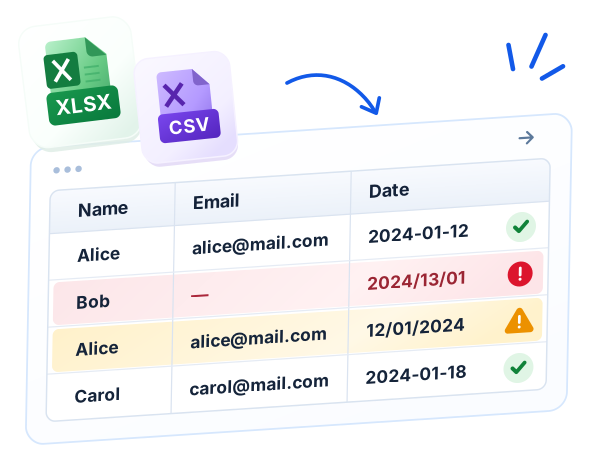
Detect Issues
Find duplicates, missing values, invalid formats, and more.
Repair & Clean
Fix problems with guided, safe transformations.
Explore Your Data
Profile columns, view statistics, and spot anomalies.
Undo & History
Keep track of changes and undo anytime.
Export & Use
Download a clean CSV or Excel file, plus a detailed report.
Try it now — upload your file
Drag and drop a CSV, TSV, or Excel (.xlsx) file here, or click to select.
Supported formats: CSV, TSV, XLSX Max file size: 200 MB (browser limit)Popular Data Repair Tools
View all toolsRemove Duplicates
Find and remove duplicate rows or records.
Fix Date Format
Standardize and correct date values.
Repair CSV
Inspect quotes, delimiters, and broken rows.
Clean Text
Trim spaces, normalize case, and tidy text.
CSV Validator
Check structure, data types, and common errors.
CSV to Excel
Convert a delimited file into an XLSX workbook.
Remove Empty Rows
Delete blank or whitespace-only rows.
Clean Excel Data
Find and normalize data in Excel files.
How it Works
1. Import
Upload your CSV or Excel file.
2. Analyze
Get a detailed report of all issues.
3. Repair
Apply fixes with a clear preview.
4. Export
Download your clean file and a full report.
Files are processed in your browser. Your spreadsheet stays on your device.
Background processing keeps your workspace responsive.
A complete set of data cleaning and repair tools.
For business, e-commerce, reporting, and more.